1. Function: Long reply notification.
Now we have a new useful feature!!!!
What does it mean for you?
✨ “Long response notification” allows you to highlight chats that are waiting for a response from the operator longer than the set time.
How it works 🕒
In the Conversations tab, all chats that have reached the set timeout will be highlighted with a red bar on the left side. The time value is configured in the section “Account settings -> Long response notifications”. Now you will see and respond faster to chats that have not been replied to for a long time 🚀
Now important messages will not go unnoticed! 💬✉️
Activate the “Long Reply Notification” in the Settings now. 🛠
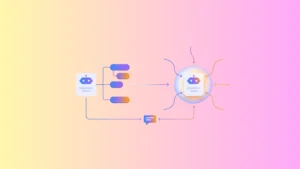
2. Function: Automation rules!
The best way to make your team’s workflows more efficient is through automation!
Why is it important?
Automation rules will help you automate routine tasks and save you time. With them, you can:
✅Add tags
✅End the conversation
✅Send a message
✅Send an attachment
✅Send a webhook event
✅Send a browser event
This way, your team can focus on what they do best, and manual tasks become a thing of the past!
Start using Automation Rules and increase the efficiency of your chat! 🚀
3. 📋 New feature: Preliminary information collection form for online chat and widget!
What does it mean for you?
Preliminary information collection forms allow you to collect data from users before they start a chat.
✅ You can set mandatory fields and customize the preliminary information collection form depending on the status of the chat center – online or offline.
Store useful information and improve communication with your customers. Enable this feature in the settings now!!!!
4. 🔍 Filtering by messenger in the Dialogs Detail report
We have improved reports to make it easier for you to analyze your work. 📊
Now you can easily filter data by messenger in the Dialogs Detail report. This means you can quickly get information about your activity in a particular messenger and make a more accurate analysis.
A convenient feature for better control and optimization of workflows.
5.📨 Message statuses for the Website channel!
Now you can easily track the status of your messages on the Website channel. 🕵️♂️
What does this mean for you? 🤔
1️⃣ Successfully sent: The message was successfully sent from your chat room.
2️⃣ Delivered: The message has been successfully delivered to the recipient, but there is no confirmation of reading yet.
3️⃣ Read: The recipient has already read your message.
This feature will help you interact with your customers more effectively and keep track of the status of your messages.
Improve communication and workflows with message statuses for the Website channel!!!!