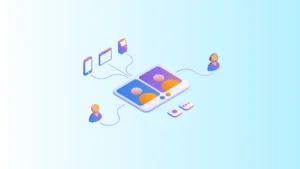
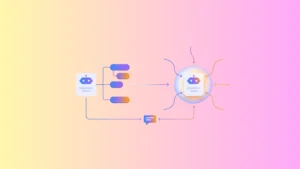
Video calls in NovaTalks have become a fully-fledged communication channel. Previously, video connections worked on a “send a link — the customer joins” basis. Now it’s a separate channel: the customer initiates the video call themselves with a single tap, the request is automatically routed to an agent, and it’s handled just like any other conversation on the platform.
Video can be embedded at various customer touchpoints — a mobile app, a website, or a kiosk — and used as a self-service and support tool. In this article, we’ll break down how the new functionality works and where it can be applied.
What’s New: Video Calls as a Separate Channel
Previously, video connections were more of a one-off tool: customers were sent a link they could use to join a call. Now there’s a dedicated channel for video calls within the platform. This means every video call:
- is initiated by the customer themselves — with a single button tap;
- arrives as a separate conversation on the platform;
- is automatically routed to an available agent, just like requests from other channels.
The agent sees that a new conversation has come in and joins it with one click — the “Join Conversation” button. From there, they see the customer on video and can provide a full consultation.
How It Works: From the Customer’s Button to a Conversation with an Agent
The entire journey from customer request to agent response consists of a few steps:
- The customer taps the video call button (in the app, on the website, at a kiosk, etc.).
- The call arrives on the platform as a separate video conversation.
- The conversation is automatically routed to an available agent.
4. The agent clicks “Join Conversation” and sees the customer on video.
During the call, the agent has access to core actions: ending or resuming the call, and enabling recording. Once recording ends, the video is saved and can be reviewed later — useful for quality control and resolving disputed situations.

Active video call from the agent’s side: customer video and call controls, including recording
The platform manages the queue and sessions on its own. If several customers reach out at the same time, they wait in a video room while the agent handles them one by one. When switching between conversations, the system automatically connects the agent to the correct customer.
An agent can also initiate a video call: they simply create a conversation and send the customer a link through any convenient channel. The customer opens it in their browser and joins the video call — no separate app installation required.
Where You Can Place the Video Call Button
The video call button can be embedded at virtually any customer touchpoint.
| Placement Point | What It Delivers |
| Mobile app | The customer calls an agent directly from their own app, with no switching between services |
| Website | A dedicated video call icon on the page |
| Existing live chat | The video call button can be embedded into an existing chat widget |
| Kiosks and ATMs | Turns a self-service device into a full “branch” with a live agent |
| QR code | The customer scans the code and is connected to an agent via video |
What’s more, additional data — such as device information or request context — can be passed from a kiosk directly to the agent’s workspace.


Video call button in a website widget (left) and in the mobile app (right)
Who Benefits from Video Calls
Video service is especially valuable where a customer needs live contact or visual identification but can’t visit in person.
Financial sector and video identification. Under NBU regulations, banks are permitted to open accounts remotely, via a video interview with the customer. Video calls make it possible to identify a person located abroad, for example, verify a customer during complex or suspicious transactions, or provide a premium consultation.
Accessibility for people with disabilities. For someone who can’t communicate by voice and uses sign language, video becomes their primary support channel.
Customers without access to branches. People with limited mobility, elderly customers, customers in remote locations, and citizens abroad can get remote service without needing to travel anywhere.
Reducing branch load. When a branch is temporarily unavailable or overloaded with queues, a customer can scan a QR code and complete simple operations with an agent over video.
This approach complements physical branches and takes routine work off their hands: simple requests get resolved remotely, queues get shorter, and consultants can focus on more complex requests and personalized customer work.
Video Data Security
For financial institutions, where call recordings are stored is critically important. Video data in NovaTalks can be stored in two ways: within the platform’s secure environment or locally, on the customer’s side. This gives banks and other organizations flexibility and helps them comply with strict data storage and protection requirements.
Key Benefits
In short, the new functionality gives businesses:
- video calls as a full-fledged channel, initiated by the customer themselves;
- placement across multiple touchpoints: app, website, live chat, kiosk, QR code;
- one-click agent join with a full set of in-call actions, including recording;
- automatic request routing and queue management;
- video connections with no app installation, via a simple browser link;
- the ability to turn kiosks into full-service points;
- basic video call analytics for monitoring load and quality;
- flexible video data storage (within the platform or locally on the customer’s side).
Frequently Asked Questions (FAQ)
Is a video call a full channel or just a video chat via link?
A full channel. A video call arrives on the platform as a separate conversation and is automatically routed to an agent — just like requests from other channels. The one-off link format, where a customer simply joined a video, is a thing of the past.
What does a customer need to start a video call?
Very little. The customer initiates the call with a button, for example, in the mobile app or on the website. If the agent starts the conversation, they send a link, and the customer joins right in their browser, with no separate app installation required.
Which touchpoints can a video call be embedded into?
The mobile app, a website (as a dedicated icon), an existing live chat widget, self-service kiosks and ATMs, or via a QR code — anywhere customer interaction already takes place.
How does the platform handle multiple simultaneous video requests?
Customers wait in a video room while the agent handles requests sequentially. When switching between conversations, the system links the agent to the correct customer’s session, so conversations don’t get mixed up.
Can video conversations be recorded for quality control?
Yes. The agent enables recording during the call, and the video is saved for later review, including for evaluating service quality and analyzing complex cases.
Where are video recordings stored?
Video data can be stored in the platform’s secure environment or locally, on the customer’s side. For organizations with strict data requirements, this provides the necessary flexibility.
Conclusion
Video calls turn any customer touchpoint into a live video service channel. The customer connects with a single tap, the agent joins with a single click, and the conversation can be recorded and analyzed.
And so the agent can see the full customer context right during the call, video calls can be paired with CRM integration — we cover that in a separate article.
Want to see how video calls would work in your specific scenario? The NovaTalks team can help configure a solution tailored to your needs and show it in action.